
At Annotra, every update is driven by one goal: helping patent professionals spend less time on repetitive tasks and more time focusing on what matters. Whether you're a patent illustrator, patent attorney, patent agent, or inventor, we know that every minute saved during the patent drawing process adds up.
That's why we're excited to introduce Annotra 2.0, our biggest update yet. This release delivers significant improvements to performance, usability, and workflow efficiency, making it easier than ever to create accurate, publication-ready patent drawings.
Smoother, More Precise Annotation Placement
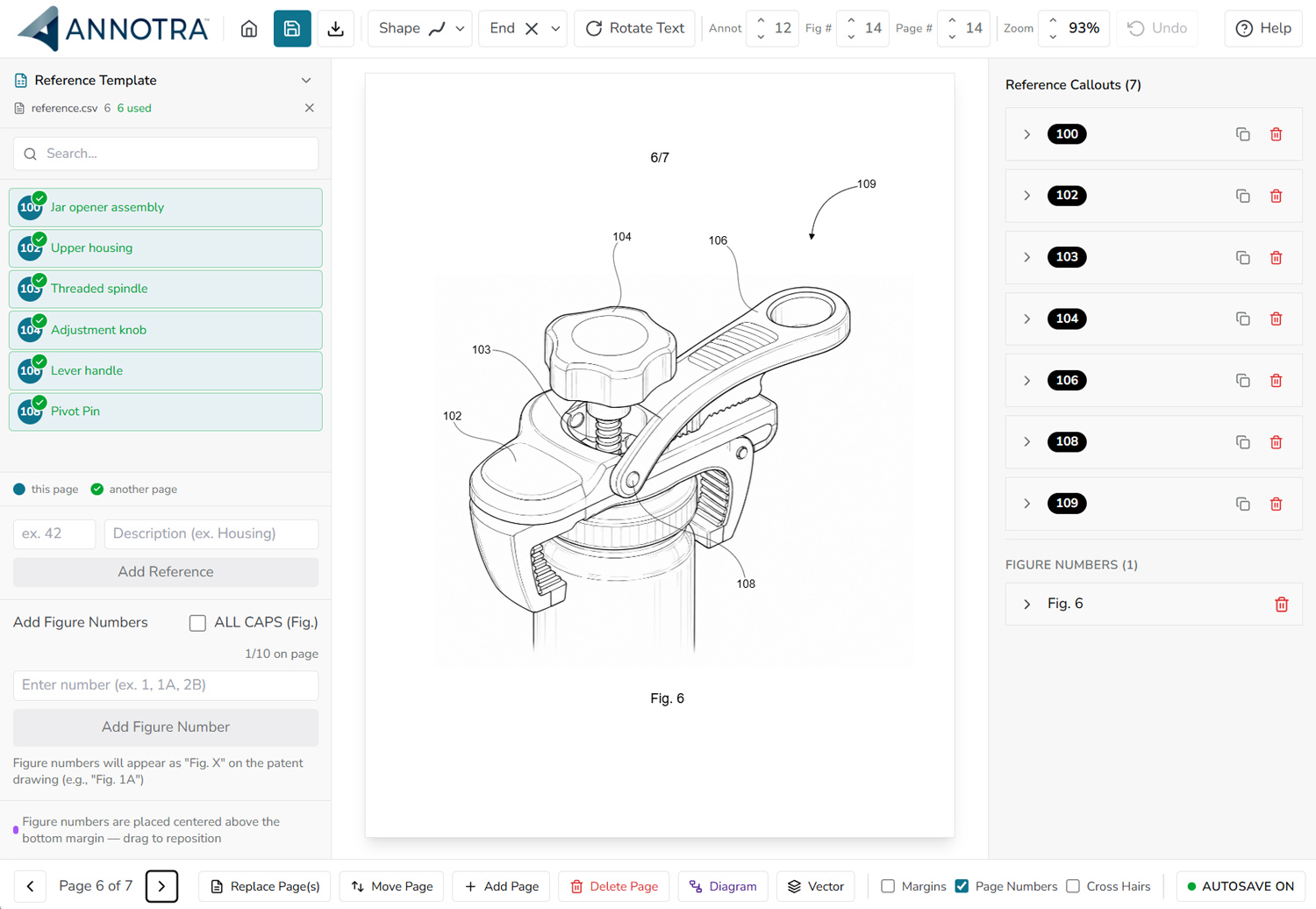
One of the most noticeable improvements in Annotra 2.0 is our enhanced movement engine. Leader lines and reference callouts now move with exceptional smoothness and precision, making it easier to position annotations exactly where you want them.
Whether you're making fine adjustments or quickly laying out dozens of reference numbers, the editor feels more responsive, accurate, and effortless than ever before.
A More Compact Interface for Faster Workflows
We've redesigned much of the Annotra interface to make better use of your screen space. The new compact layout keeps your most-used tools within easy reach while maximizing the available drawing area.
The result is a cleaner workspace that reduces unnecessary mouse movement and helps you work more efficiently, especially when managing complex, multi-page patent applications.
Duplicate Reference Callouts Across Pages Instantly
One of our most requested features has finally arrived.
You can now duplicate reference callouts to:
- A single page
- Every page in your document
This dramatically speeds up projects where annotations need to remain consistent across multiple patent figures, eliminating the need to recreate the same callouts page after page.
A Smarter Project Dashboard
Managing projects is now faster and more intuitive thanks to a redesigned dashboard.
Quickly organize your projects by:
- Last Updated
- Date Created
- Alphabetical Order
Whether you're managing a few drawings or hundreds of active projects, finding exactly what you need is now effortless.
A Completely Refreshed Editor Interface
Annotra 2.0 includes numerous interface refinements designed to improve clarity, speed, and usability.
Buttons, controls, spacing, and workflows have all been carefully updated to create a cleaner, more intuitive experience while maintaining the powerful functionality existing users rely on every day.
Every improvement was made with one objective in mind: helping you work faster with fewer clicks.
Smaller PDF Exports
We've optimized our export engine to generate significantly smaller PDF files without sacrificing quality.
Benefits include:
- Faster uploads
- Easier file sharing
- Reduced storage requirements
- Improved collaboration with clients, inventors, attorneys, and patent agents
It's a simple improvement that makes a meaningful difference in everyday patent drawing workflows.
Enhanced Diagram Editor
The Diagram Editor has also received a major upgrade.
Creating flowcharts, process diagrams, and annotations directly over patent figures is now smoother, more responsive, and easier than ever.
Whether you're illustrating workflows, system architecture, or technical concepts, the updated editor provides greater flexibility while keeping everything within the same streamlined workspace.
Built from Real Feedback
Annotra is shaped by its founder’s patent illustration experience and feedback on the annotation workflow.
Many of the features introduced in Annotra 2.0 were inspired directly by feedback from patent illustrators, patent attorneys, patent agents, and inventors looking for faster, more efficient ways to prepare patent drawings.
We're incredibly grateful for every suggestion, feature request, and conversation that continues to shape the future of Annotra.
Why Annotra?
Annotra is built specifically for reference numbers, leader lines, and figure labels. These tools support drawing preparation; the finished figures still need review before filing.
From intelligent leader line placement and bulk reference numbering to streamlined project management and publication-ready PDF exports, Annotra gives patent professionals the tools they need to work faster without compromising precision.
Upgrade to Annotra 2.0 Today
Annotra 2.0 is available now for all users.
Existing users can log in to explore the updated tools. New users can try the workflow on a representative drawing set and judge whether it suits their work.
Start a free trial and evaluate Annotra’s annotation workflow on your own drawings.
Drawing review: Annotra is annotation software, not a filing-compliance certification or legal advice. Check the exported figures against the applicable requirements. See the USPTO drawing guidance. Workflow times vary; no guaranteed time saving or examination outcome is claimed.